GitLens is what everyone recommends when you ask how to see git blame in VS Code. It’s been around since 2017, it’s actively maintained, and it’s genuinely good. There’s a reason it has millions of installs.
This isn’t a post saying GitLens is bad. It’s not.
It’s a post about a different extension that’s going in a different direction — simpler, more focused — and that might fit your workflow better depending on what you’re actually after.
GitLens does a lot
GitLens wants to be a full git client inside VS Code. Commit graph, worktrees, interactive rebase, AI explanations, multiple side panels, hundreds of settings. If you use all of that, it’s an incredible tool.
But if you only need blame and file history, you’re loading a lot of stuff you’re not using. It runs on startup, keeps background processes going, and has a real memory footprint. On a big repo or a slower machine, that adds up.
That’s not a criticism — it’s just a different set of trade-offs than what I was looking for.
What Don’t Git Lost does instead
Don’t Git Lost is built around one question: what happened to this file, and why?
Right now it focuses on three things, and each one is sharp:
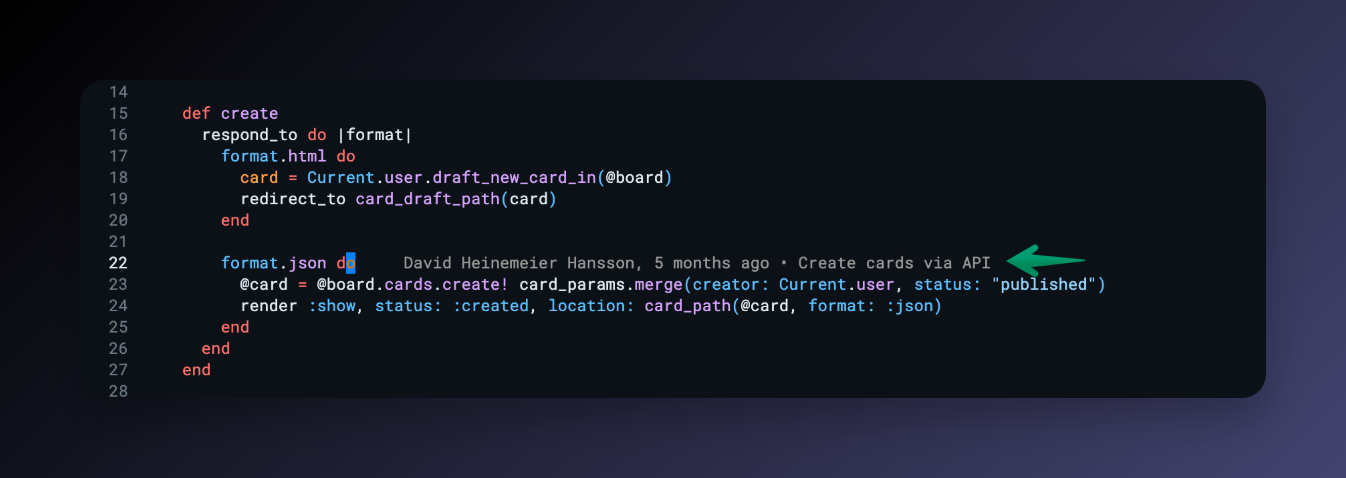
Inline blame — a quiet annotation at the end of whatever line your cursor’s on. Author, time, commit message. No setup needed.
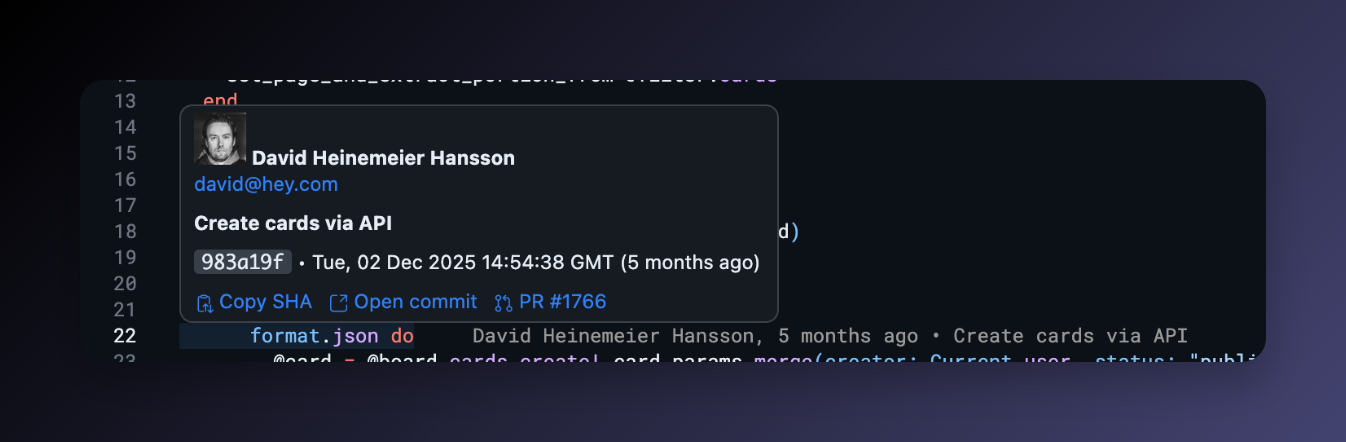
Commit hover card — hover the annotation and you get the full picture: author photo, full commit message, exact date, a link to the commit, and — when it was part of a PR — a link straight to the PR.
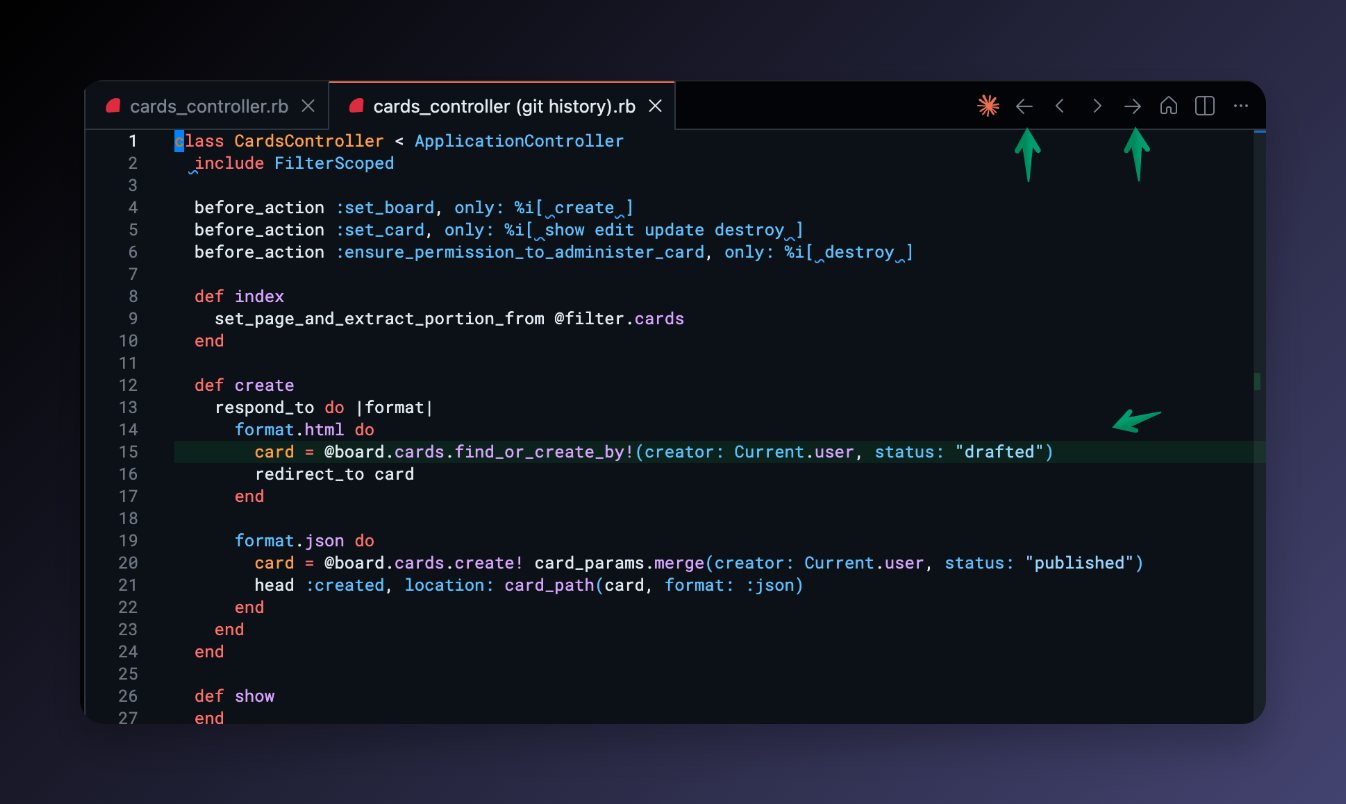
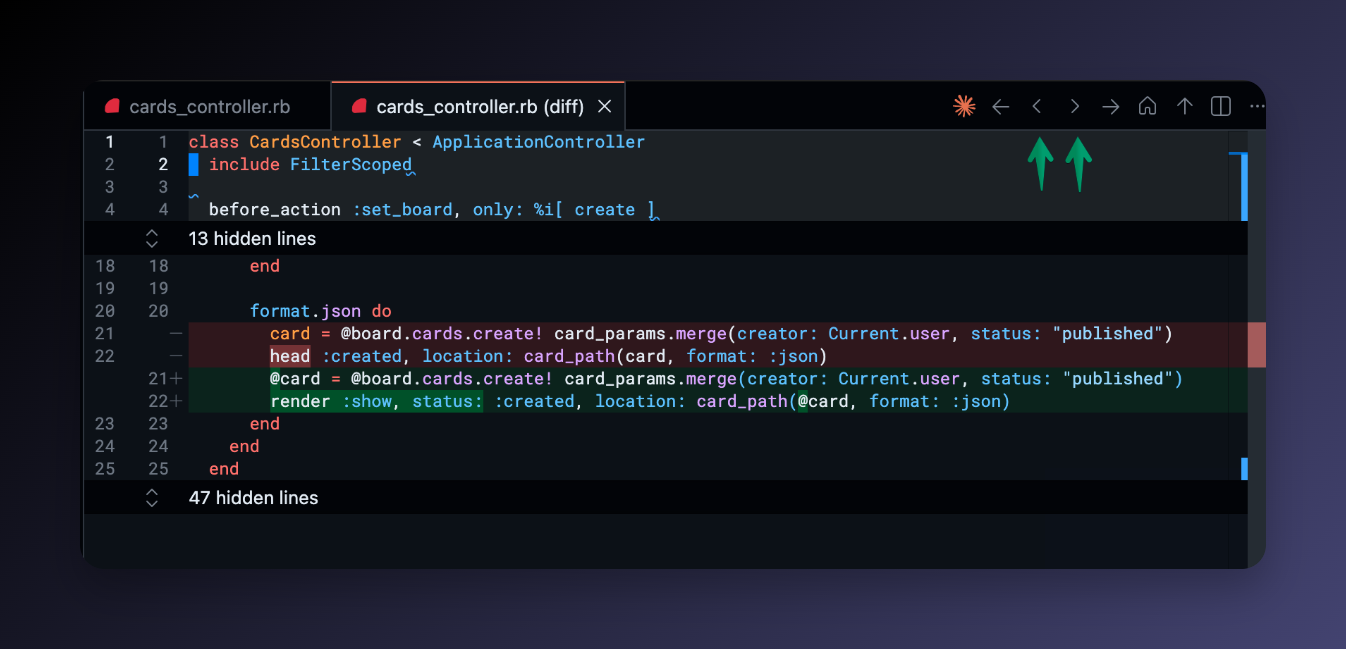
Time-travel navigation — toolbar buttons to step through every commit that touched the current file, with a gutter overlay or a diff editor showing exactly what changed.
No commit graph, no background scanning, no paid tier. The extension is growing — but always toward useful and focused, not toward more panels and settings.
How it feels to use
Move your cursor to any line → blame shows up.
Hover it → commit card with the PR link right there.
Click the PR → full context in the browser: description, screenshots, the whole discussion around why that change was made.
Or just stay in the editor: hit ← in the toolbar to walk back through the file’s history one commit at a time, with a gutter overlay showing what that commit changed. Same tab the whole time, no mess of open editors.
It takes seconds and you don’t lose your place.
It’s much lighter
Don’t Git Lost is lazy on purpose. Blame runs on cursor movement. The toolbar only loads history when you click it. Nothing happens at startup. Nothing scans your repo in the background.
If you’ve felt GitLens adding weight to your VS Code, this is a noticeably different experience.
It might be for you if…
- You want inline blame without a full git client
- The question you keep asking is “why does this line look like this?”
- You prefer tools that do one thing really well and keep getting better at it
- You want the PR link right there when you hover
Install Don’t Git Lost from the VS Code Marketplace or Open VSX. Free, works out of the box.
